

Partners
Available via: Dashboard only
Partners lists everyone who promotes you: what they've sold, what they've earned, and their affiliate links.
How to Access
- Open your Inflow Dashboard.
- Go to Affiliates → Partners.
Your Partners
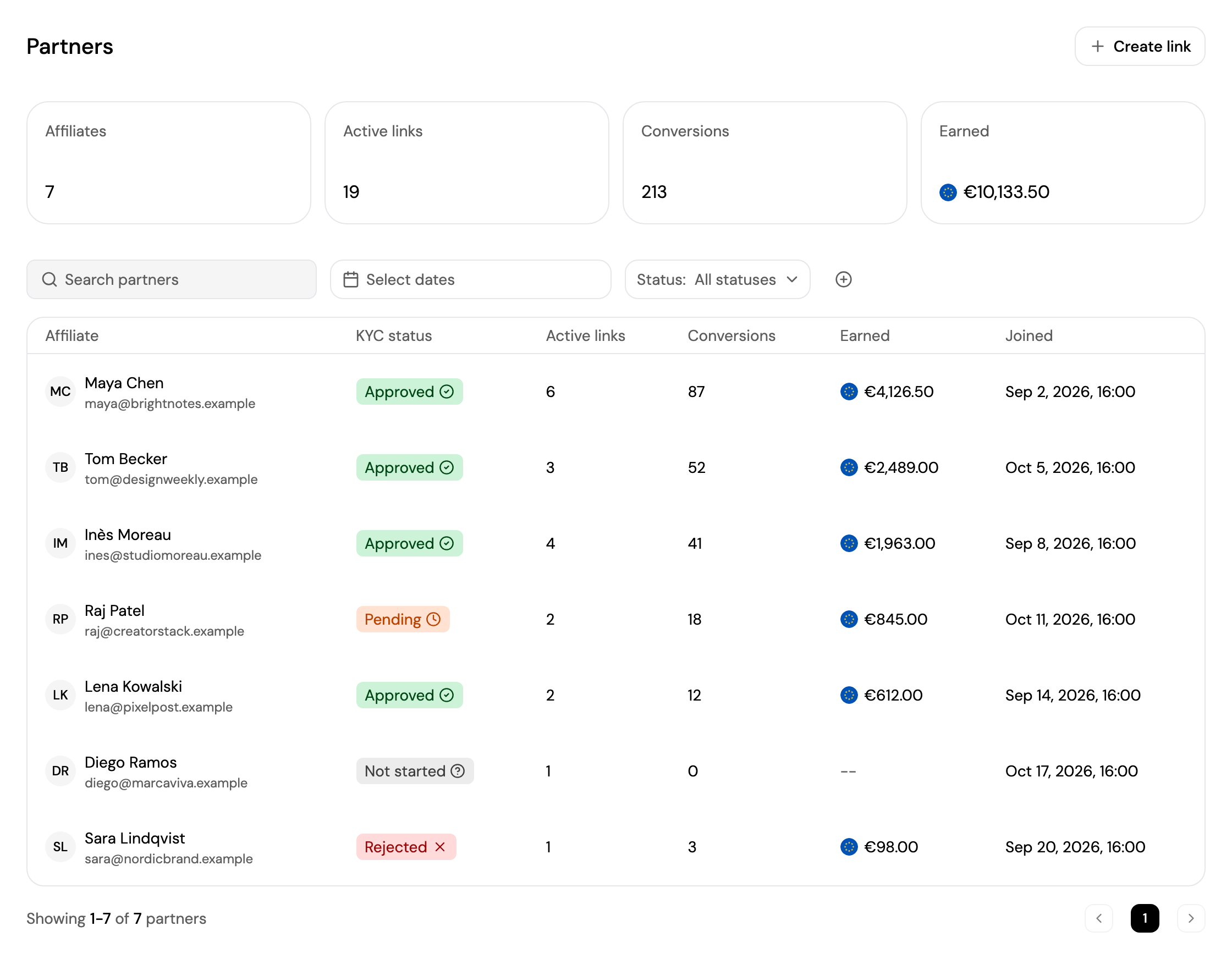
At the top, your totals: Affiliates, Active links, Conversions and Earned.
- Search for a partner, pick a date range with Select dates, and filter by Status. Click + to filter by Country.
- Each partner shows their name and email, KYC status, number of Active links and Conversions, what they've Earned, and when they joined.
- Click a partner to open their page.
A partner's KYC status shows whether their identity is verified: Approved, Pending, Rejected or Not started.
Create an Affiliate Link
A link gives a partner a code to promote your products. Click Create link and follow the steps:
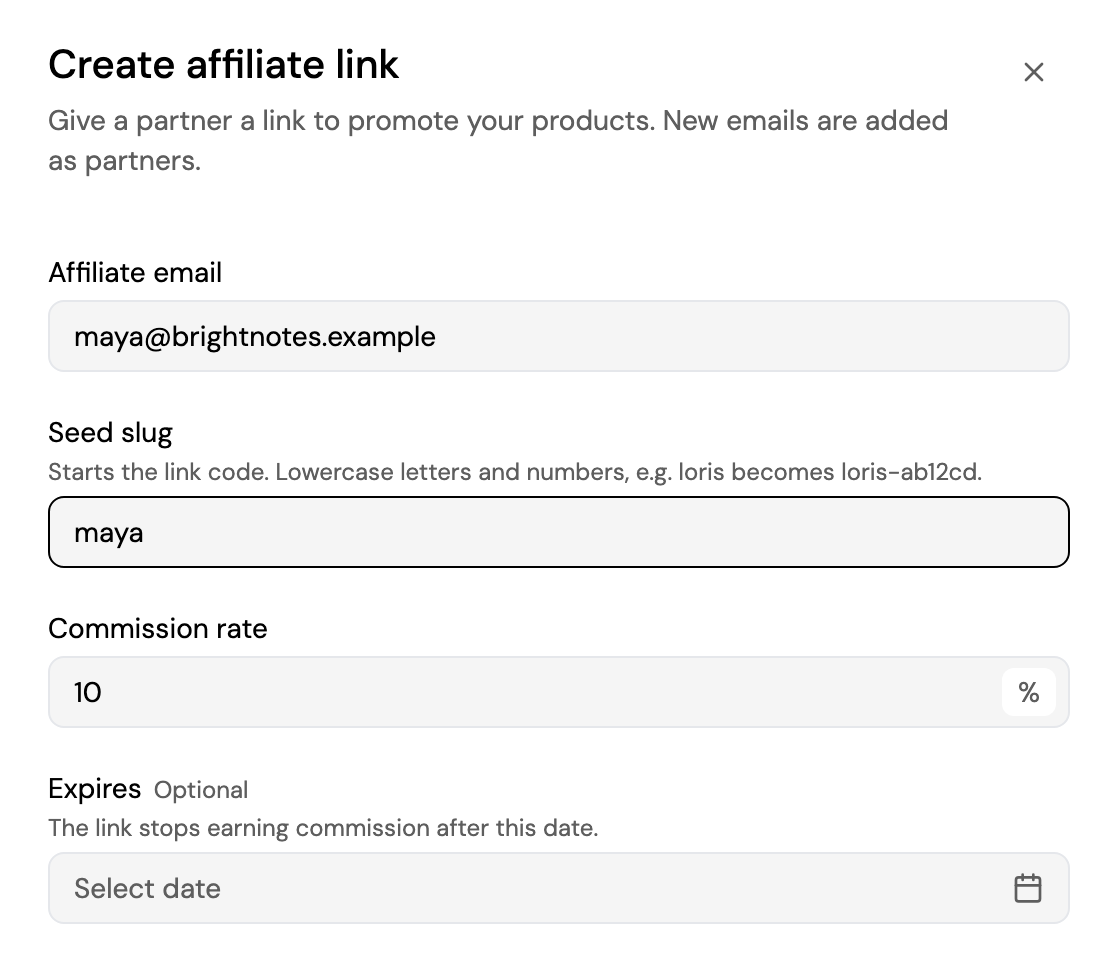
- Affiliate email: the partner's email. A new email adds a new partner.
- Seed slug: the start of the link code. For example,
mayabecomesmaya-x7k2pq. - Commission rate: from 0.01% to 100%.
- Expires (optional): the link stops earning commission after this date.
Click Create link. You can also create a link from a partner's page, under Links.
Partner Details
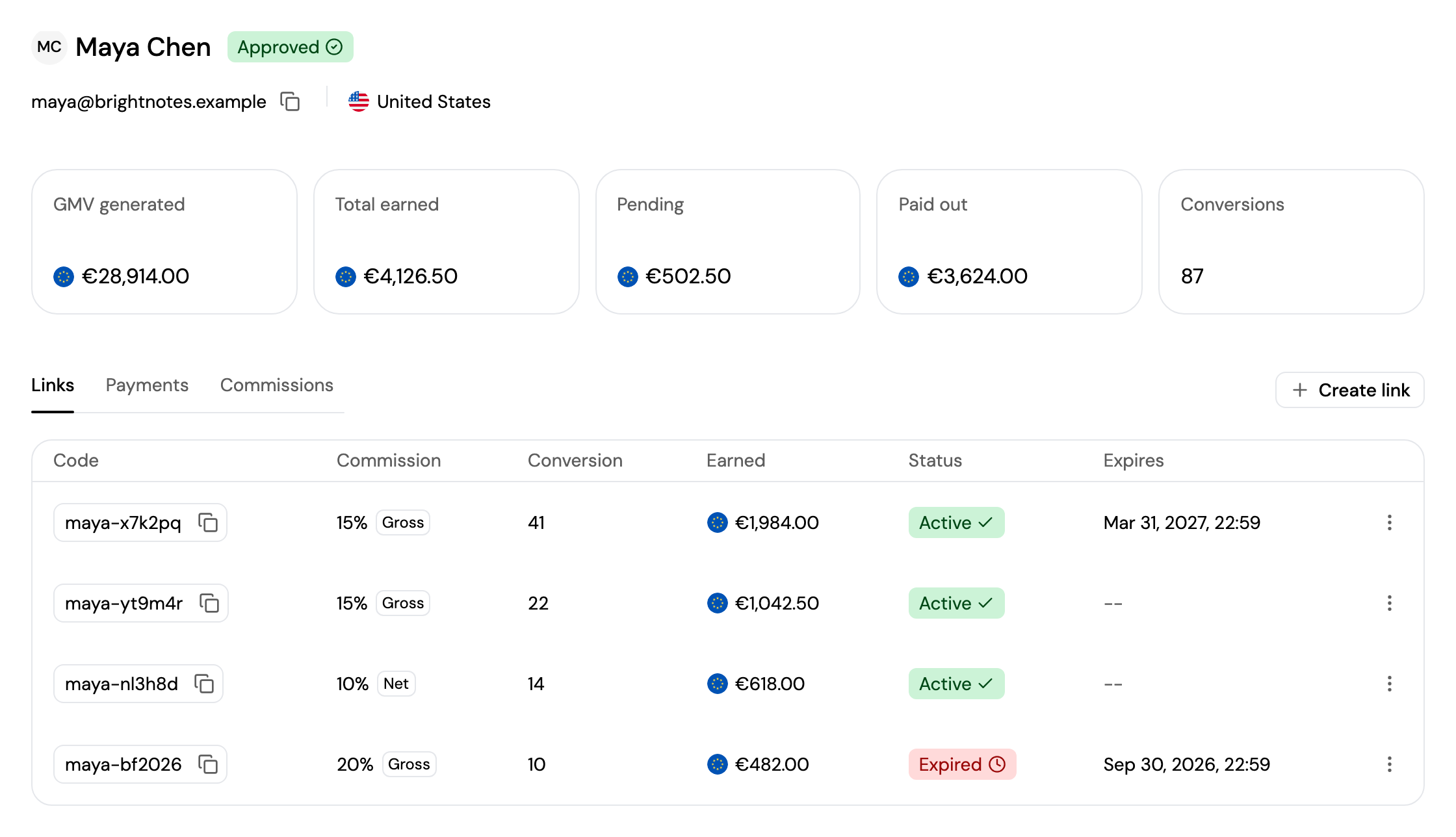
A partner's page shows their name, KYC status, email and country, and their totals: GMV generated, Total earned, Pending, Paid out, Conversions, and Clawbacks open when commissions they were already paid need to be recovered after a refund.
Three tabs show the details:
- Links: each of their links with its code, commission, conversions, earnings, status (Active, Expired or Archived) and expiry date. Click ⋮ next to a link to open its Sharing guide, or Archive link so it stops attributing new payments; past commissions stay intact.
- Payments: their latest payments with the commission on each. Click View all payments to see them all in Payments.
- Commissions: for each link, the number of payments, the estimated commissions and what's been collected.
Updated about 4 hours ago