

Payments
Available via: Dashboard only
Payments lists every payment made through an affiliate link, with the partner who brought it and the commission they earn on it.
How to Access
- Open your Inflow Dashboard.
- Go to Affiliates → Payments.
Affiliate Payments
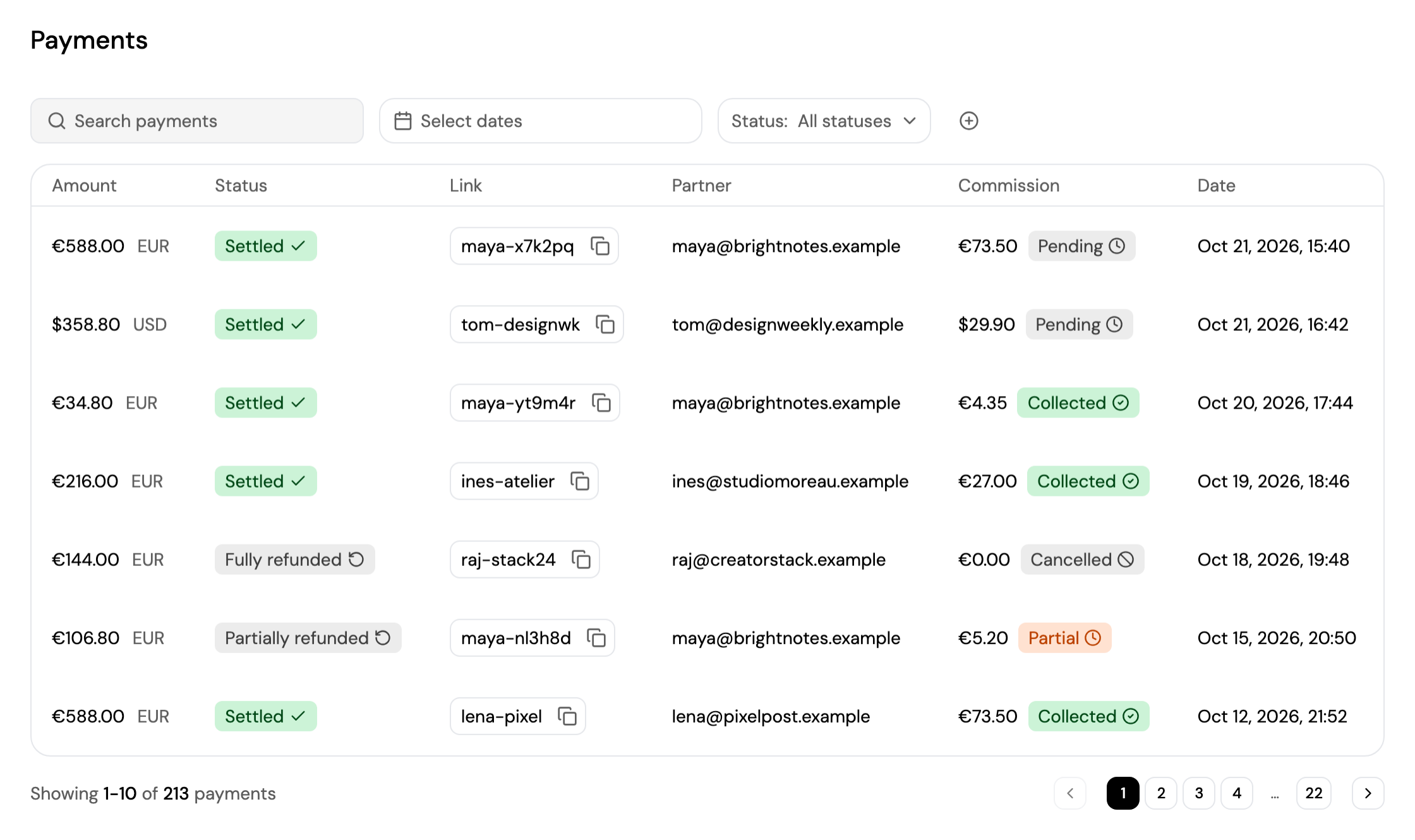
- Search for a payment, pick a date range with Select dates, and filter by payment Status. Click + to filter by Commission status, Currency, Partner ID or Link ID.
- Each payment shows its amount, status, the affiliate Link code, the Partner, the Commission with its status, and the date.
- Click a payment to open it in Transactions → Payments.
| Commission status | Meaning |
|---|---|
| Pending | The commission is owed to the partner and not paid yet. |
| Partial | Part of the commission has been paid out. |
| Collected | The commission has been paid out in full. |
| Cancelled | The commission was cancelled, for example after a full refund. |
| Failed | Paying out the commission failed. |
| None | There's no commission on this payment. |
When a payment is refunded, its commission is reduced in proportion.
Updated about 4 hours ago
Did this page help you?