

Reports
Available via: Dashboard only
Reports charts your business over the period you choose: revenue, subscriptions, payments, customers, checkout conversion, disputes and fraud.
How to Access
- Open your Inflow Dashboard.
- Go to Analytics → Reports. It opens on the Revenue report.
Reading a Report
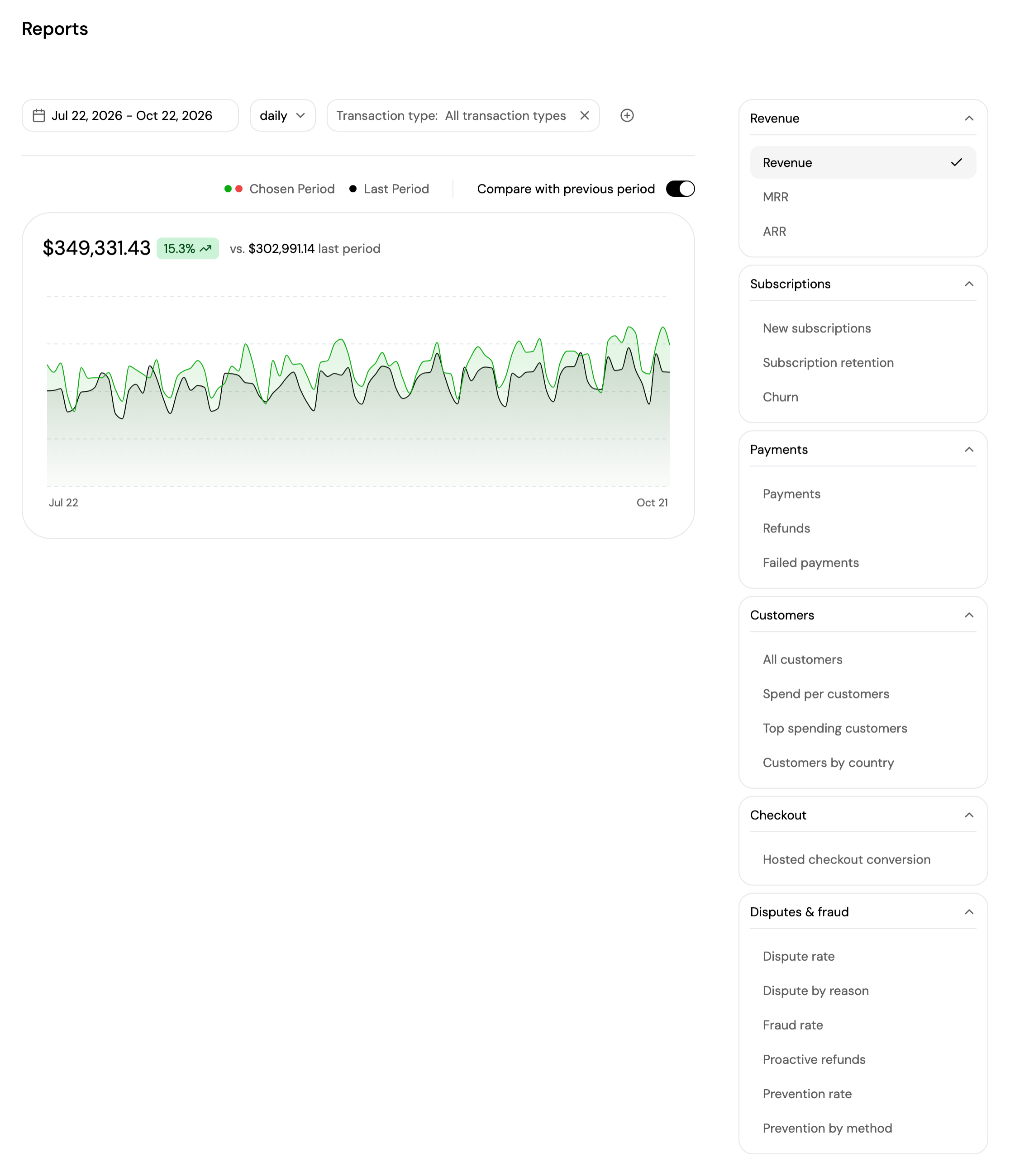
Choose a report on the right. Reports are grouped by category:
| Category | Reports |
|---|---|
| Revenue | Revenue, MRR, ARR |
| Subscriptions | New subscriptions, Subscription retention, Churn |
| Payments | Payments, Refunds, Failed payments |
| Customers | All customers, Spend per customers, Top spending customers, Customers by country |
| Checkout | Hosted checkout conversion |
| Disputes & fraud | Dispute rate, Dispute by reason, Fraud rate, Proactive refunds, Prevention rate, Prevention by method |
Above the chart, the controls change with the report you pick:
- Date range: the period to report on. It defaults to the last 3 months.
- Timeframe: how the chart groups the data, from hourly to yearly. The options depend on the length of the period.
- Filters: each report shows its own, such as Transaction type for Revenue. Click + to add more, for example Country, Product, Subscription template, Payment method, Checkout source or Currency, depending on the report. Click × on a filter to remove it.
- Compare with previous period: shows the previous period as a second line, and the change in percent next to the total. It's on by default.
Some reports add their own options: Refunds switches between Amount and Count, and Subscription retention between Relative and Absolute, with Include free trials.
The chart shows the total for the period, with the change against the previous period, and how it evolved over time. Hover the chart to see each point. Ranked reports, such as Top spending customers, Customers by country, Dispute by reason and Prevention by method, show a table instead.
Amounts in different currencies are combined into one currency at current conversion rates. A note under the total says when a currency can't be included.
Updated about 4 hours ago