

Programs
Available via: Dashboard only
A program is an offer partners join to promote your products: it sets the commission rate, the products and subscription templates it covers, its dates, and who can join.
How to Access
- Open your Inflow Dashboard.
- Go to Affiliates → Programs.
Your Programs
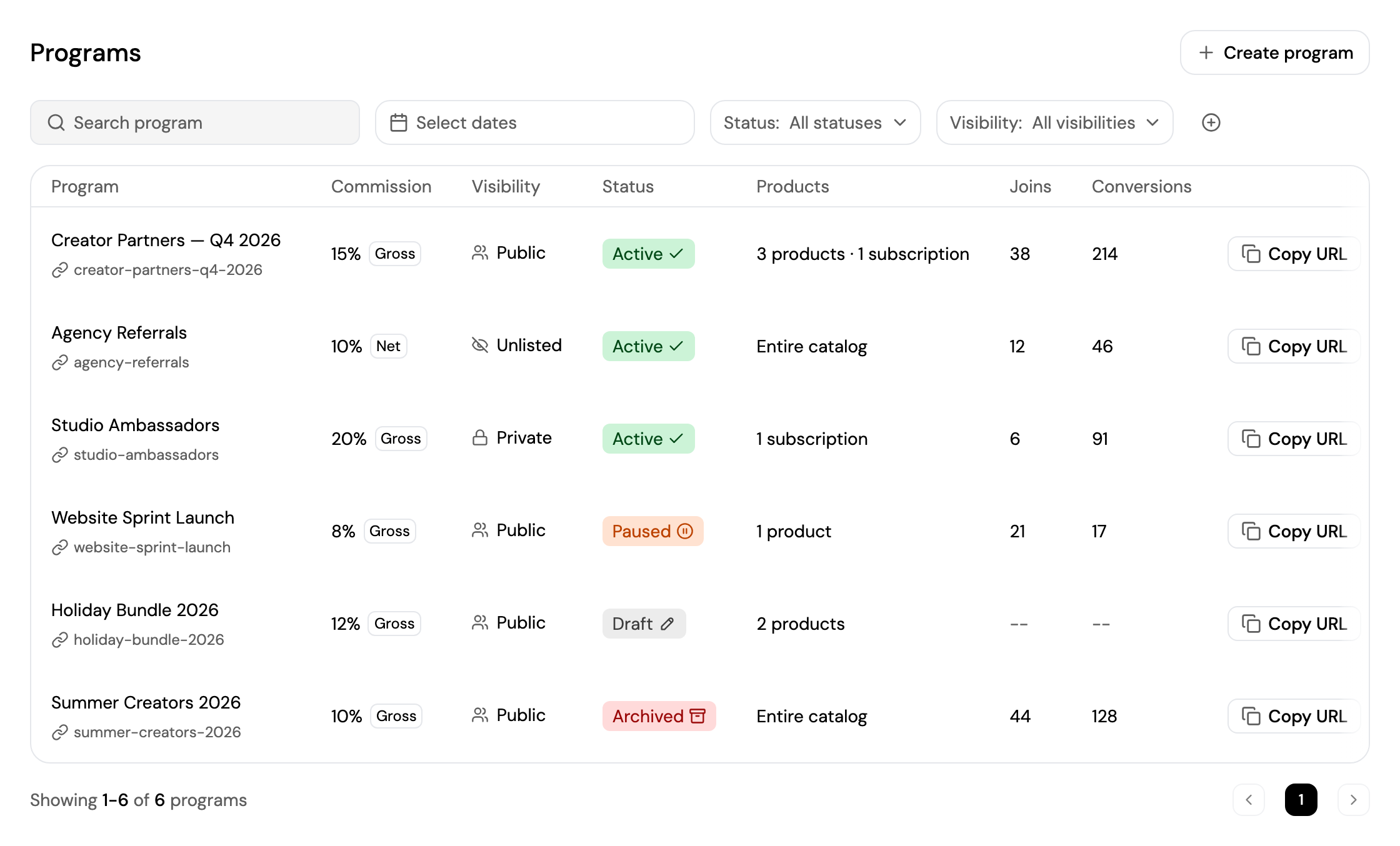
- Search for a program, pick a date range with Select dates, and filter by Status and Visibility. Click + to filter by Commission basis.
- Each program shows its name and public link, Commission, Visibility, Status, the Products it covers, and its number of Joins and Conversions.
- Click Copy URL to copy a program's public page, where partners can join it.
- Click a program to open its page.
| Status | Meaning |
|---|---|
| Draft | Saved but not live. Partners can't join it yet. |
| Active | Live. Partners can join and promote it. |
| Paused | Partners can't join or promote it until you resume it. |
| Archived | Retired. It can't be edited anymore. |
| Visibility | Who can join |
|---|---|
| Public | Listed on the affiliate marketplace. Anyone can discover and join. |
| Unlisted | Hidden from the marketplace. Partners join through your share link only. |
| Private | No self-serve join. You add partners by creating a link for them on Partners. |
Create a Program
Click Create program and follow the steps.
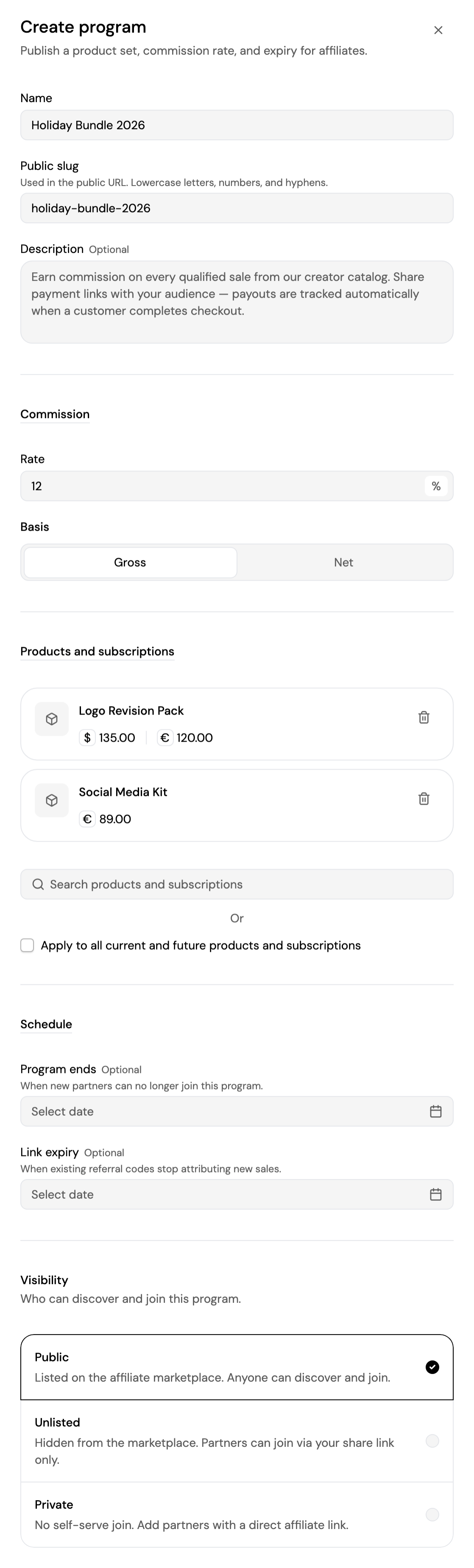
- Name and Public slug: the slug is used in the program's public link. It's filled in from the name.
- Description (optional): what partners see about the program.
- Commission: the Rate, from 0.01% to 100%, and the Basis, Gross or Net.
- Products and subscriptions: search and add the products and subscription templates the program covers, or tick Apply to all current and future products and subscriptions.
- Schedule (optional):
- Program ends: when new partners can no longer join.
- Link expiry: when existing referral codes stop attributing new sales.
- Visibility: Public, Unlisted or Private.
Click Create to make it live, or Save as draft to finish it later. The program's page opens.
Program Details
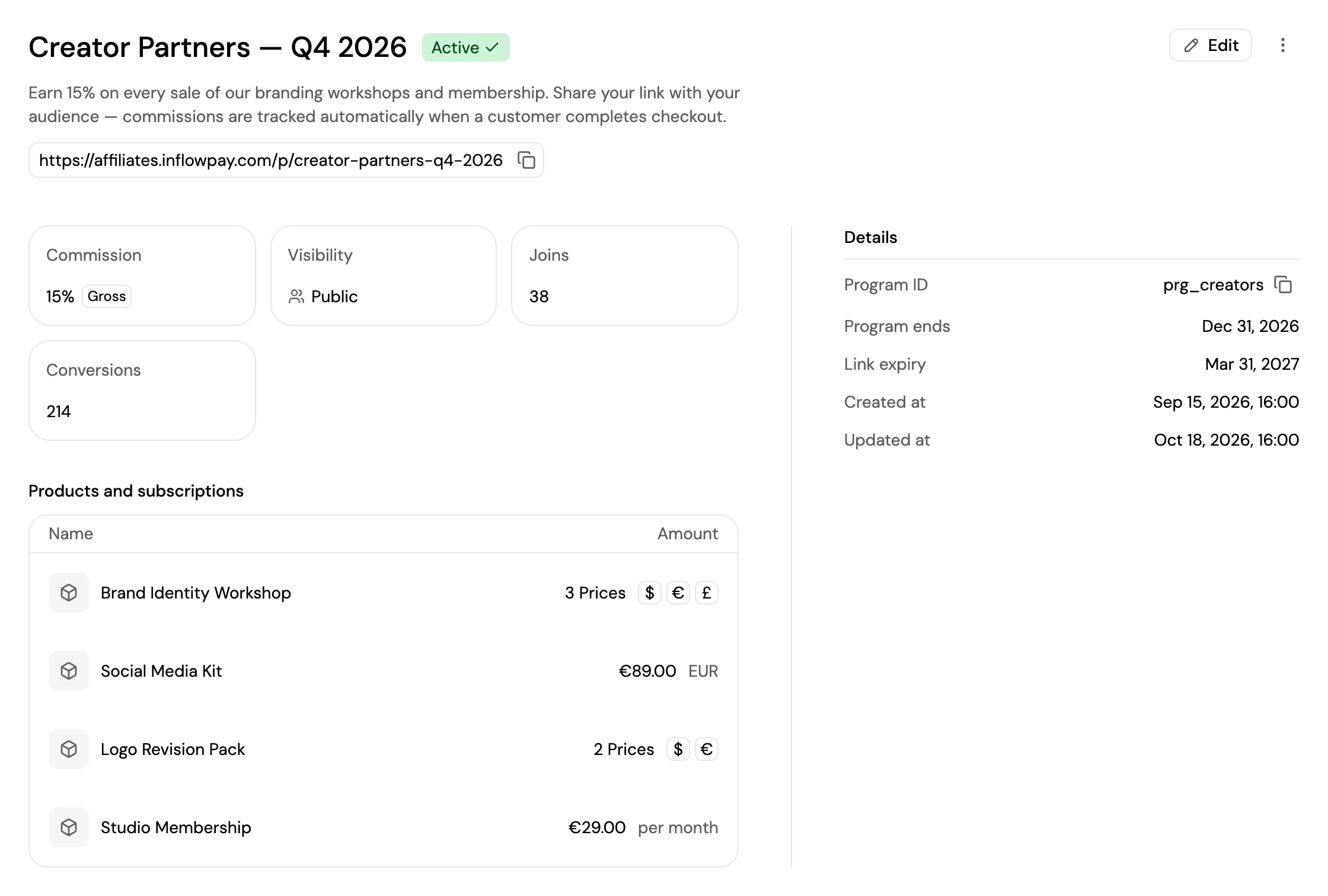
A program's page shows its name, status, description and public link, and:
- Commission, Visibility, Joins and Conversions.
- Products and subscriptions: what the program covers. Click one to open it, or see Applied to all for the whole catalog.
- Details: the program ID, end and link expiry dates, and when it was created and updated.
From a program's page you can:
- Edit: change any of its settings. Changing the commission, products, subscriptions or link expiry updates every active code on the program; you're asked to confirm.
- Click ⋮ to:
- Activate a draft, Pause an active program, or Resume a paused one.
- Archive the program. Archived programs can't be edited.
Updated about 4 hours ago
Did this page help you?