

Sharing
Available via: Dashboard only
Sharing builds the links you send to a partner, ready to copy. Nothing is saved: it only puts together the partner's code and your page.
How to Access
- Open your Inflow Dashboard.
- Go to Affiliates → Sharing, or click ⋮ → Sharing guide next to a link on a partner's page.
Build a Partner's Links
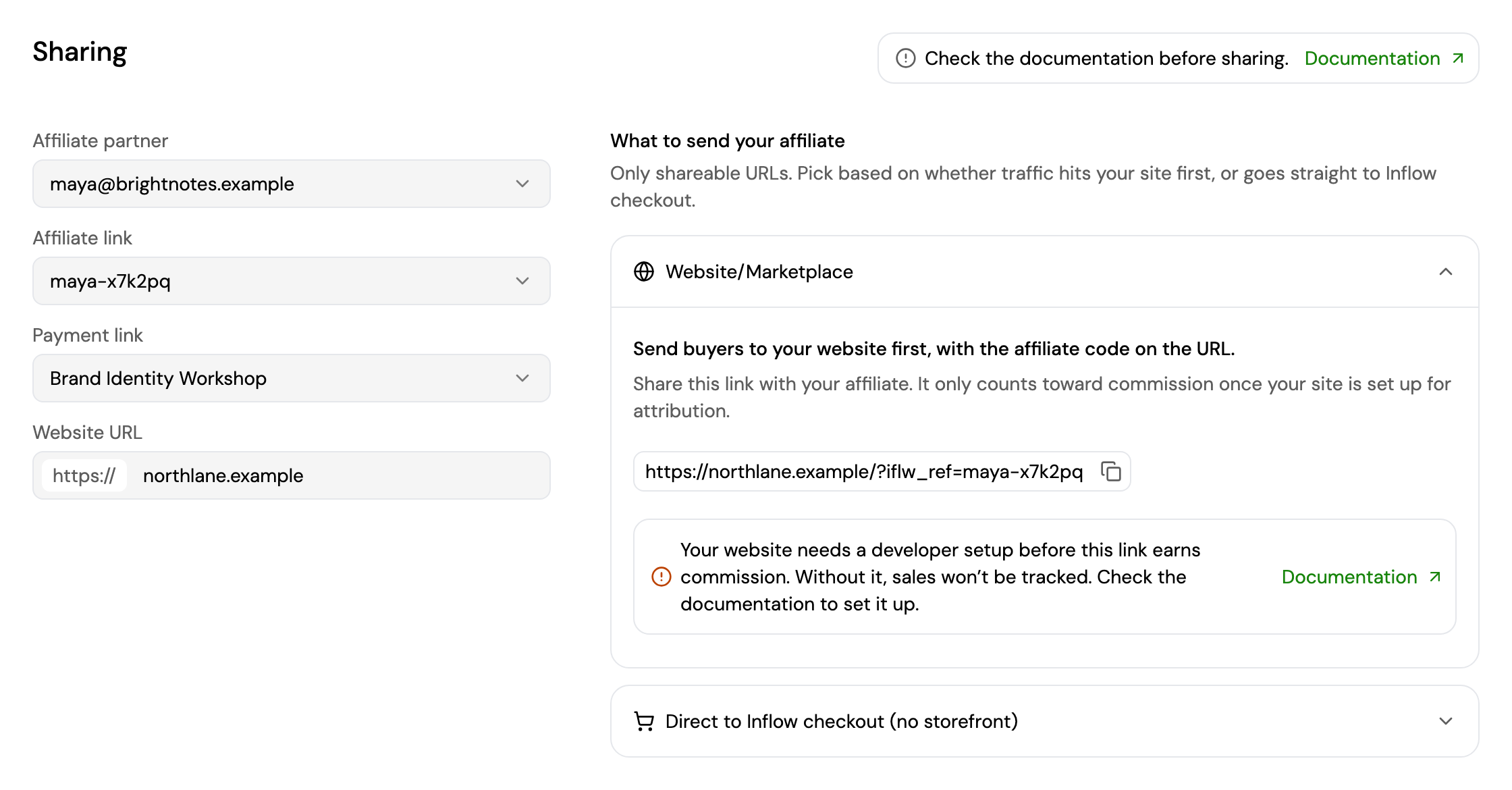
Choose:
- Affiliate partner and their Affiliate link. Only active links are listed.
- Payment link: the payment link to send buyers to, for the direct checkout option.
- Website URL: your website.
What to send your affiliate then shows two options. Copy the one that fits:
- Website/Marketplace: buyers land on your website first, with the partner's code in the URL, for example
https://northlane.example/?iflw_ref=maya-x7k2pq. Your website needs a developer setup before this link earns commission; without it, sales aren't tracked. See Track Sales from Your Website. - Direct to Inflow checkout (no storefront): buyers go straight to your payment link's checkout, with the partner's code added. Commissions apply as soon as a payment completes through it.
How Sales Are Attributed
A partner's code, such as maya-x7k2pq, earns a commission only if it reaches Inflow's checkout with the payment:
| How the buyer arrives | What carries the code | Setup needed |
|---|---|---|
| Straight to an Inflow checkout link | affiliateRef in the link | None. Use the Direct to Inflow checkout link. |
| Your website first, then an Inflow checkout link | iflw_ref on your website, then affiliateRef in the checkout link | The tracking script, and passing the code to checkout. See below. |
Inflow checkout links are your payment links (/l/…), subscription links (/s/…) and the checkout sessions you create with the API (the checkoutUrl, /pay/…). All of them accept the code as affiliateRef, or as iflw_ref.
- The first code on a checkout counts. A code added later to the same checkout is ignored.
- An unknown code, a code from an archived or expired link, or another merchant's code is ignored: the buyer still pays, and no commission is created.
- Payments you create with
POST /api/server/paymentand collect with the SDK can't carry a partner's code. To pay commissions on those sales, send buyers to a payment link or a checkout session instead.
Track Sales from Your Website
When a partner sends buyers to your website, the code is in the address as iflw_ref, for example https://northlane.example/?iflw_ref=maya-x7k2pq. Your website has to keep it until the buyer checks out, then pass it to Inflow's checkout as affiliateRef.
1. Add the tracking script
Add this script to every page a buyer can land on, ideally in the <head> of your site's layout:
<script async src="https://js.inflowpay.com/track.js"></script>When a page opens with iflw_ref in its address, the script:
- Saves the code in the buyer's browser for 30 days. A newer code replaces an older one.
- Removes
iflw_reffrom the address, so the buyer doesn't share it by mistake. - Makes the code available to your pages with
window.InflowPay.getAffiliateRef(). It returnsnullwhen there's no code, or after 30 days.
The script only remembers the code: on its own, it doesn't attribute any sale.
2. Pass the code to checkout
When you send the buyer to an Inflow checkout link, add the saved code as affiliateRef:
// The payment link, subscription link or checkout session URL you already use
const checkoutUrl = new URL('https://checkout.inflowpay.com/l/{paymentLinkId}');

const affiliateRef = window.InflowPay?.getAffiliateRef?.();
if (affiliateRef) {
  checkoutUrl.searchParams.set('affiliateRef', affiliateRef);
}

window.location.href = checkoutUrl.toString();
For a checkout session, add it to the checkoutUrl returned when you create the session. See Checkout V2.
To forget the code once the buyer has paid, for example on your thank-you page, call window.InflowPay.clearAffiliateRef().
3. Check that it works
- Open your website with a real code from one of your partner's links, for example
https://northlane.example/?iflw_ref=maya-x7k2pq. The code disappears from the address. - In your browser's console, run
window.InflowPay.getAffiliateRef(). It returns the code. - Go to checkout from your website, and check that the checkout address contains
affiliateRef=maya-x7k2pq. - Complete a payment. It shows in Affiliates → Payments, with the partner and the commission.
Updated about 3 hours ago