

All Activity
Available via: Dashboard only
The All activity tab lists every movement on your balance in one place.
How to Access
- Open your Inflow Dashboard.
- Go to Transactions → All activity.
The tab requires access to activity. See Roles and Permissions.
Your Activity
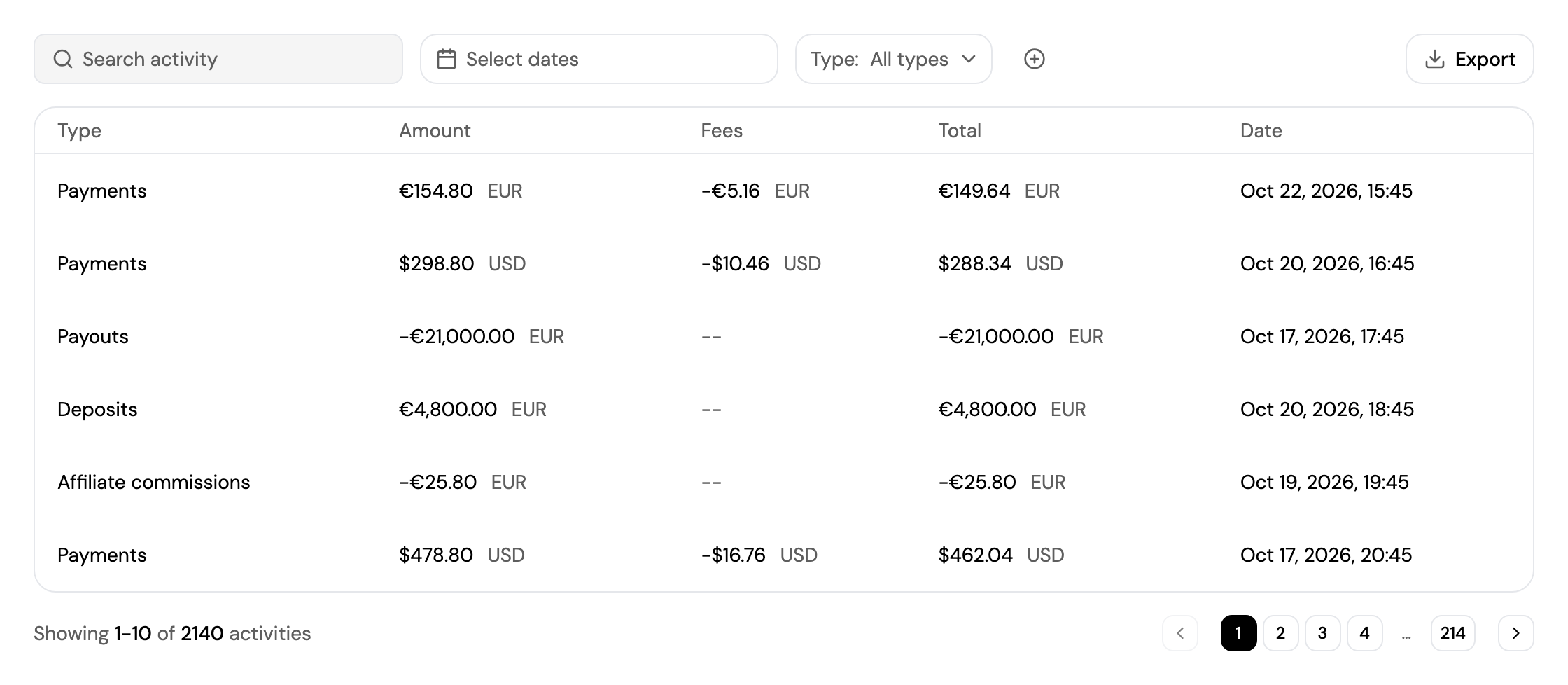
The list includes payments, payouts, deposits, fees, affiliate commissions, refunds, reserves and chargebacks. Each line shows:
| Column | Description |
|---|---|
| Type | The kind of movement, such as Payments, Payouts or Affiliate commissions. |
| Amount | The amount of the movement. |
| Fees | The fees charged on it. |
| Total | What actually affected your balance. |
| Date | When it happened. |
Use Type to show one kind of movement. See Finding a Transaction for search, filters and export.
Updated about 4 hours ago
Did this page help you?