

Product Catalog
Available via: Dashboard only
Product catalog is where you set up what you sell and how customers pay for it. Click Product catalog in the sidebar to open its four pages.
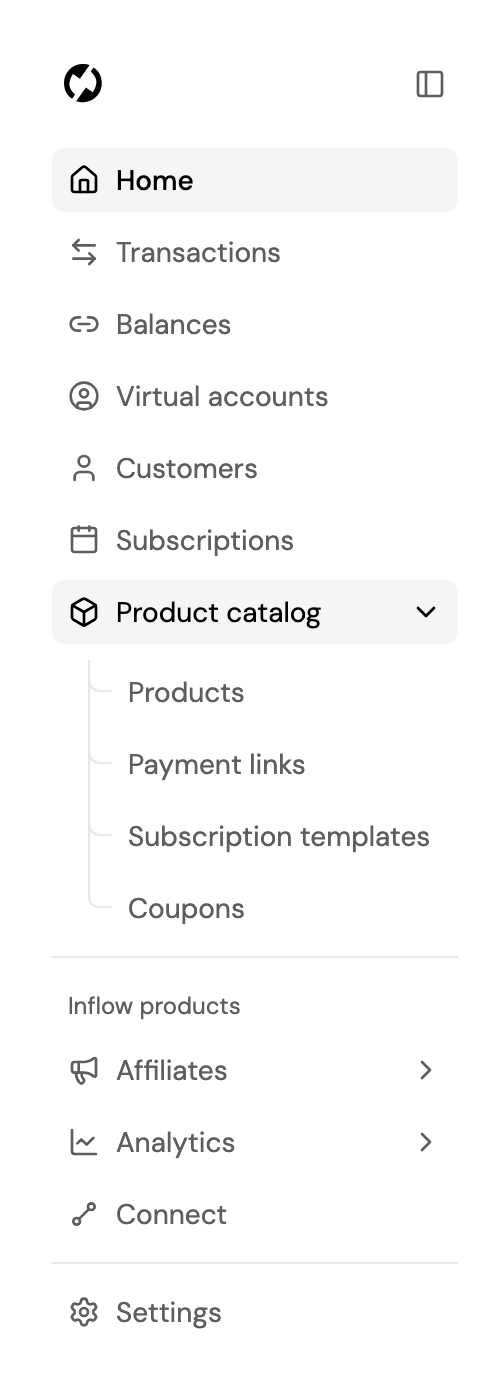
Pages
| Page | What you manage there |
|---|---|
| Products | The items you sell, with their prices in USD, EUR and GBP. See Products. |
| Payment links | Shareable checkout links for one-time payments, built from your products. See Payment Links. |
| Subscription templates | Recurring plans customers subscribe to through a checkout link. See Subscription Templates. |
| Coupons | Discounts for one-time payments and subscriptions. See Coupons. |
How They Fit Together
- Products are the building blocks of payment links: you pick products and quantities, and the link charges their total.
- Subscription templates set their own price and billing period. Each subscriber gets a subscription from the template; see Subscriptions in the sidebar.
- Coupons apply to one-time payments, or to the subscription templates you choose.
Each page needs access to what it manages: products, payment links, subscription templates or coupons. You only see the pages your role has access to. See Roles and Permissions.
Updated about 2 hours ago
Did this page help you?