

Sellers
Available via: Dashboard and API
Sellers lists the sellers on your platform. You create sellers through the API; see Sub-merchant Onboarding.
How to Access
- Open your Inflow Dashboard.
- Go to Connect → Sellers.
Your Sellers
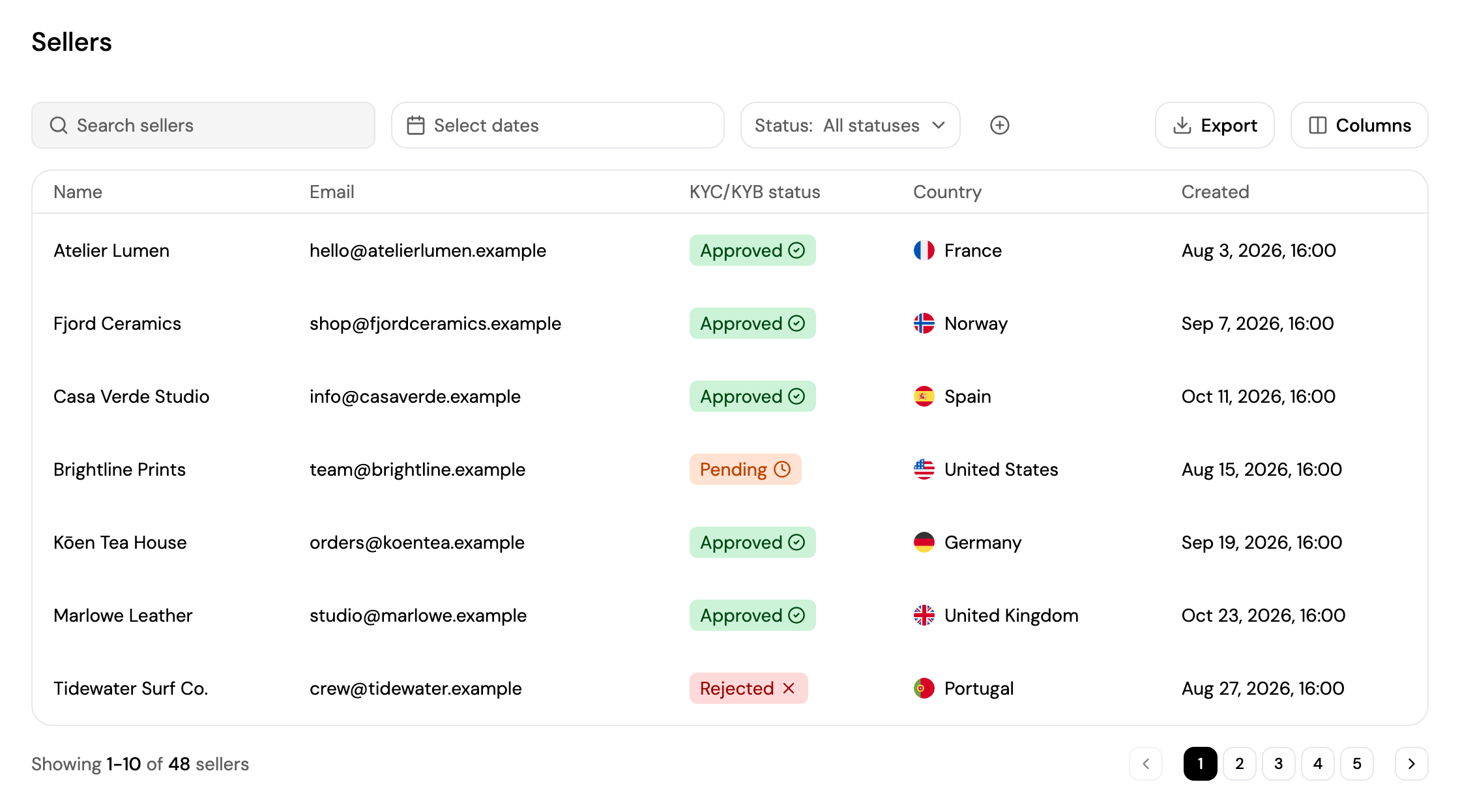
- Search for a seller, pick a date range with Select dates, and filter by Status. Click + to filter by Country.
- Each seller shows their name, email, KYC/KYB status, country and creation date.
- Click Export to download the list as a CSV file, or Columns to choose the columns.
- Click a seller to open their page.
| KYC/KYB status | Meaning |
|---|---|
| Pending | The seller hasn't finished verification yet, or it's being reviewed. See KYC and KYB Flow. |
| Approved | The seller is verified and can receive and withdraw funds. |
| Rejected | Verification was declined. |
Seller Details
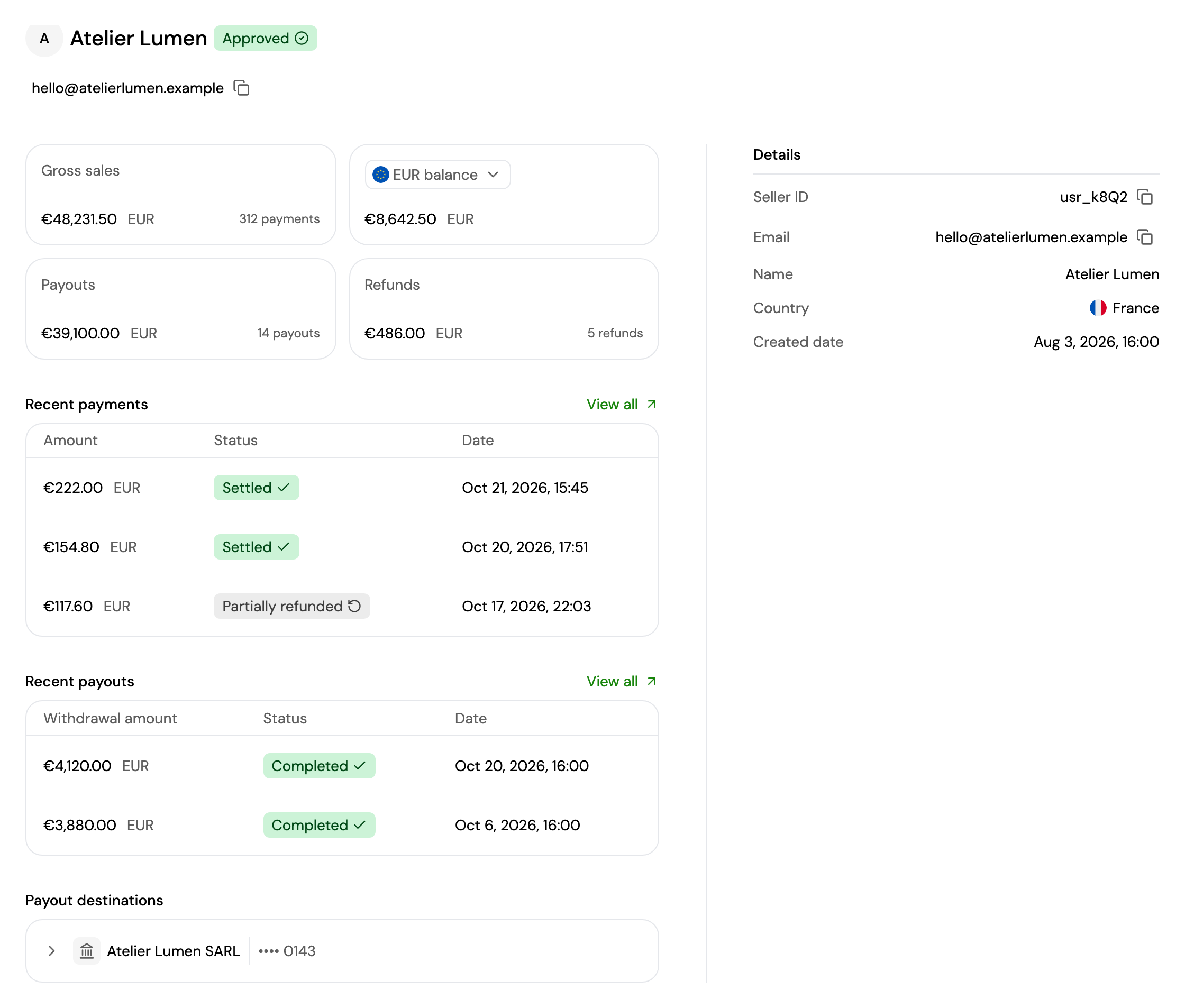
A seller's page shows their name, status and email, and:
- Gross sales, their balance in each currency, Payouts and Refunds.
- Recent payments and Recent payouts: click View all to see them all in Transactions, filtered on this seller.
- Payout destinations: the bank accounts and wallets they withdraw to.
- Details: their seller ID, email, name, country and creation date.
Updated about 4 hours ago
Did this page help you?