

Billing
Available via: Dashboard only
The Billing tab sets up smart retry for your subscriptions.
How to Access
- Open your Inflow Dashboard.
- Go to Settings → Billing.
Changing smart retry requires write access to merchant settings; members without it see the settings as read-only. See Roles and Permissions.
Smart Retry
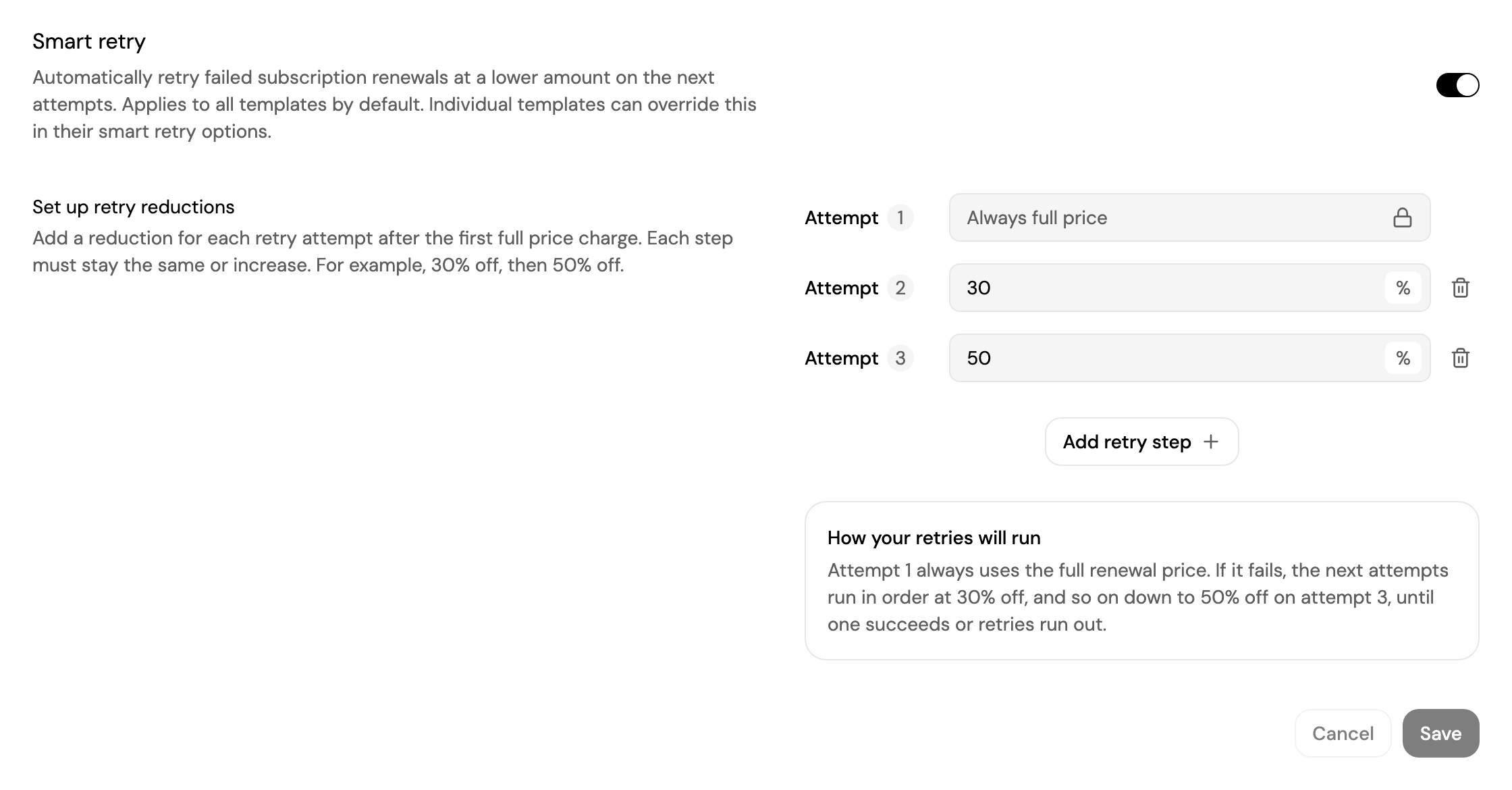
When a subscription renewal fails, Inflow retries it. With smart retry, each retry charges a lower amount than the one before, which increases the chance of recovering the payment instead of losing the subscriber.
- Turn on Smart retry.
- Under Set up retry reductions, click Add retry step for each retry and enter its reduction in percent.
- Click Save.
How the reductions work:
- Attempt 1 always charges the full renewal price.
- Each next attempt uses the next reduction. In the example above, attempt 2 charges 30% off and attempt 3 charges 50% off.
- Each reduction must be the same or higher than the one before. You can add up to 7 retry steps.
- How your retries will run summarises your setup in plain words before you save.
Smart retry only changes how much each retry charges, not when retries happen. It applies to renewals only, not to the first payment of a subscription or to one-time payments.
The setting applies to all subscription templates by default. A template can use its own reductions, or turn smart retry off, in its smart retry options. See Smart Retry for the full rules.
Updated about 4 hours ago