

Checkout Sessions
Available via: Dashboard and API
A checkout session is created each time a customer starts a checkout, from a payment link, a subscription link or your integration. It shows whether they paid, and what happened along the way. See Checkout V2.
How to Access
- Open your Inflow Dashboard.
- Go to Analytics → Checkout sessions.
The page requires access to checkout sessions. See Roles and Permissions.
Your Checkout Sessions
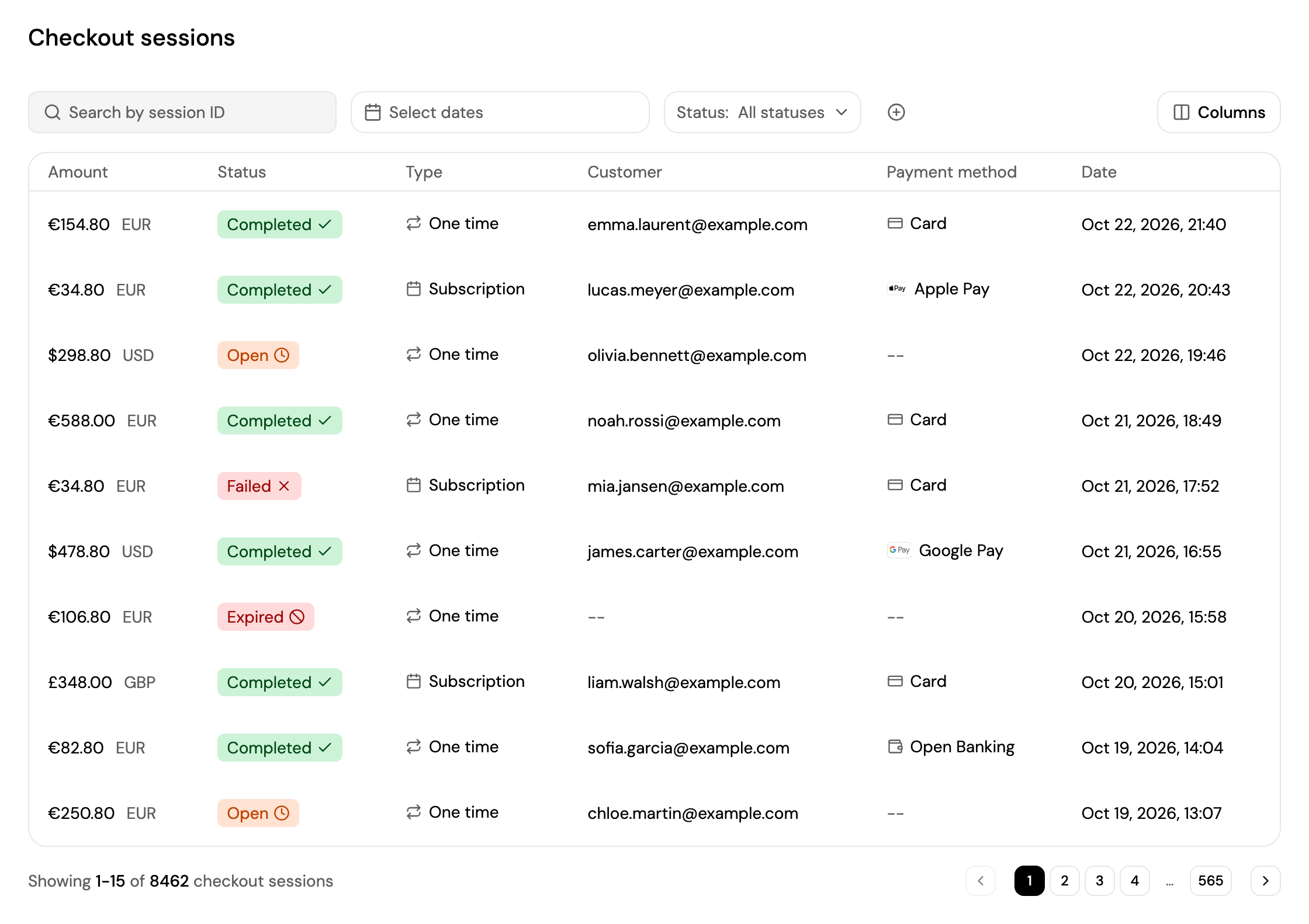
- Search by session ID, pick a date range with Select dates, and filter by Status. Click + to filter by Type or Currency.
- Click Columns to choose which columns are shown.
- Each session shows its amount, status, type (One time or Subscription), customer, payment method and date.
- Click a session to open it.
| Status | Meaning |
|---|---|
| Open | The checkout is in progress. A failed payment attempt keeps it open, so the customer can try again. |
| Completed | The customer paid, or for a free trial or waitlist, saved their payment method. |
| Failed | The checkout or its payment was cancelled. |
| Expired | The checkout reached its expiry time without being completed. |
Session Details
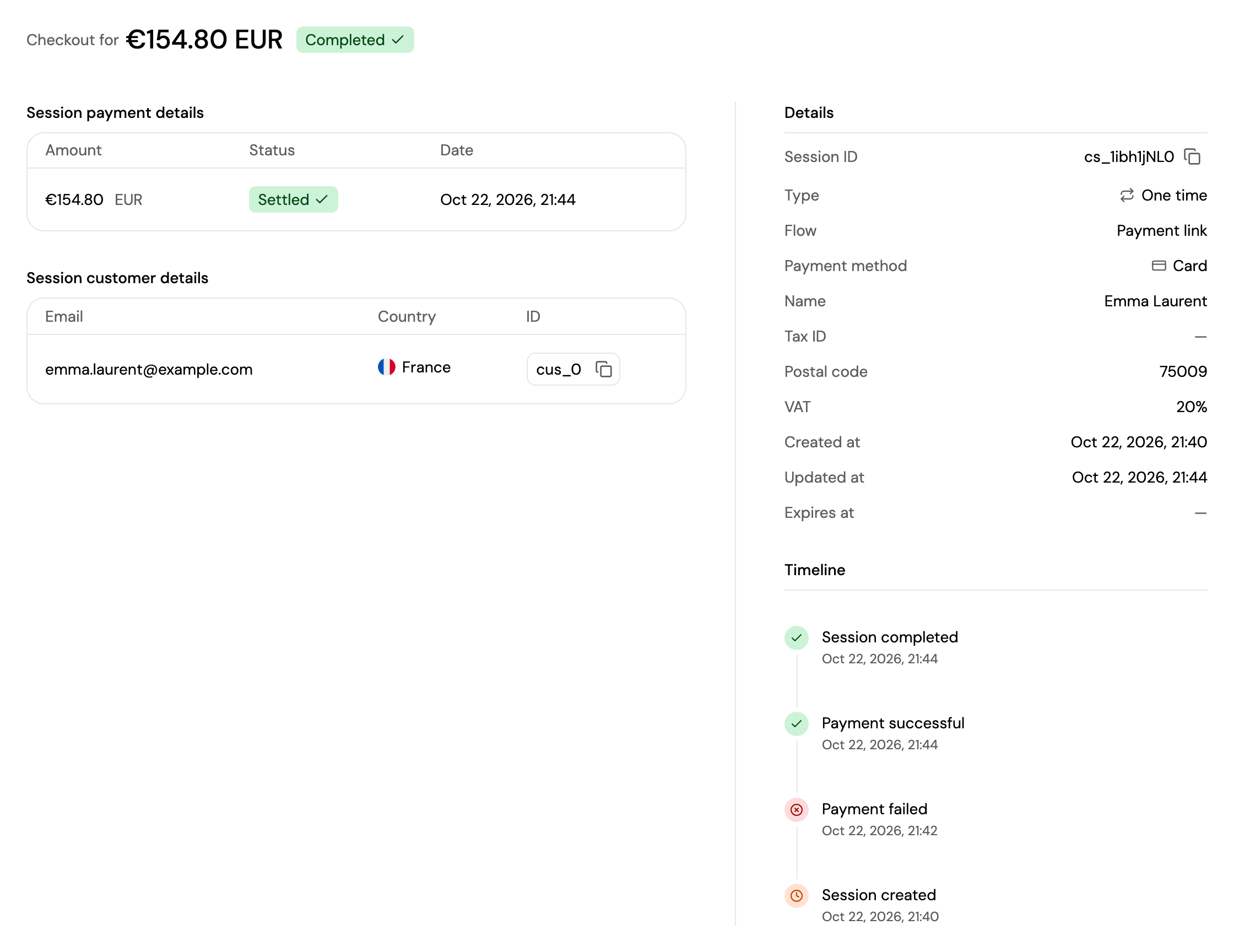
A session's page shows its amount and status, and:
- Session payment details: the payment it created, with its amount, status and date. Click it to open the payment in Transactions → Payments.
- Session customer details: the customer's email, country and ID. Click it to open the customer.
- Details: the session ID, type, flow (for example Payment link), payment method, the name or business name and tax details entered at checkout, VAT, and the creation, update and expiry dates.
- Timeline: what happened, newest first: Session created, Payment failed, Payment successful, Session completed, Session failed or Session expired.
Updated about 4 hours ago
Did this page help you?